

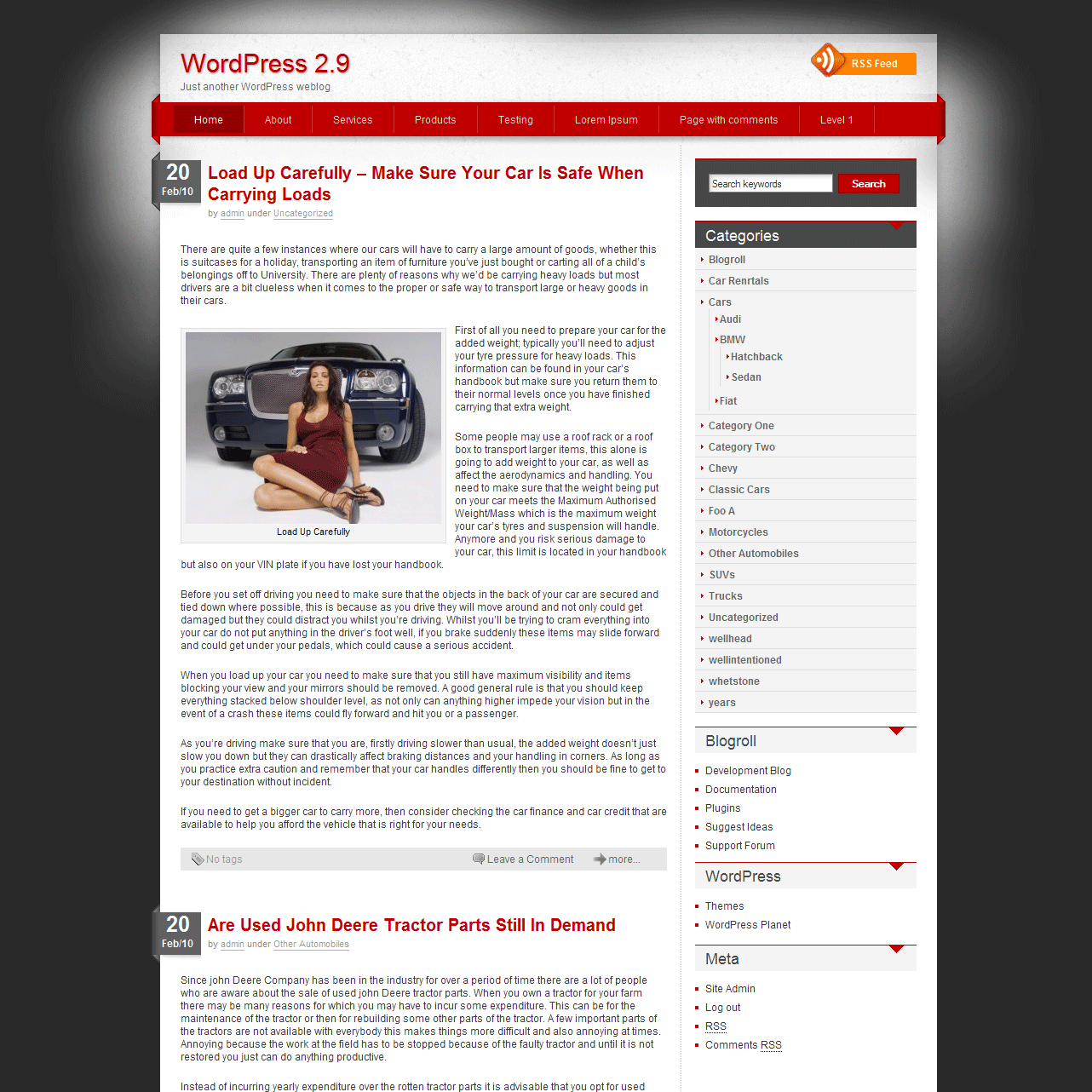
idream - WordPress Theme
After receiving overwhelming response on WordPress template Jarrah, decided to spend sometime on a new design out of my regular schedule. And came out with this clean corporate theme iDream. Hope you will like this design as well. The features are almost same as jarrah, only lavalamp menu is removed with regular dropdown menu with ease effect.
Current features includes, widget ready sidebar, bottom bar (can be deactivated from theme options), custom copyright message option, threaded comment. etc. I will definitely add more features in future depending on your feedback.
Tested on Safari, Opera, FireFox, IE and Chrome, but the real test is always done by the end users that is you and your visitors. Use the theme way you want, and leave your comment with changes and features you want in it.
Demo : https://www.templatesnext.org/?preview_theme=idream
You can download the theme here till it is approved and published in wordpress.org
Came here from your theme Jarrah. It is a wonderful black-colored theme and I like it. Keep up the good work and thank you for releasing these goodies.
Hi,
I love your template. It is by far th ebest I found for us. The only issue I have is the RSS feed. The actual link goes to http://gpsmonitoring.com/blog/?feed=rss,
However your template points to http://gpsmonitoring.com/blog/?feed=rss2 …..that does not work and I can’t figure out how to correct this problem. Can you help?
Thanks,
Petra
There are 2 versions of RSS feed available in wordpress, “RSS 0.92 feed” and “RSS 2.0 feed”.
Open header.php and find
<?php bloginfo(‘rss2_url’); ?>
replace with
<?php bloginfo(‘rss_url’); ?>
what you need to do is just remove “2” from “rss2_url”
Me gusto el theme y lo estoy en proceso para adaptarlo a mi blog. Gracias.
hi.. very beautiful clean theme. well i have one request that. i want to put my logo instead of header text. so how its possible.? what i have to do.. plz..
regards.
I am uploading the next version 1.0.2 with optional image logo. Just add the logo URL in admin -> theme option.
Very nice theme! But there seems to be something wrong if you look at it with Internet Explorer.
What is your blog URL, If possible please send a screenshot.
Found the problem with IE:
The pngfix causes IE to stretch images …
It is a wonderful template.
If I don’t want to show all the contents of the article at home, what shoud i do?
I would like to display 8 lines around each article in homepage.
There is an option (button) for that in admin panel post text editor that says “insert more tag”. i have not used that, but that should work.
Great theme, just need category on menu.
Try replacing wp_list_pages(‘title_li=&depth=2&sort_column=menu_order’);
with
wp_list_categories(‘title_li=0&categorize=0&number=NULL’);
in header.php
Hey I tried doing this and my entire page just showed up as white. This could be due to my own incompetency though. Any chance you could make this a part of the theme options page one day? Great looking theme!
Hi, need this template to use google ads.. can u add some space for that? i need to built it like complaintsboard.com
I will add admin option to insert codes in future version.
Create a text box and place-it on the side barre. Insert you add in it no title.
good theme.
I use it now.
Best regards, nice theme.
How do I set categories as menu?
Try replacing wp_list_pages(‘title_li=&depth=2&sort_column=menu_order’);
with
wp_list_categories(‘title_li=0&categorize=0&number=NULL’);
in header.php
Looks great on Firefox but not on IE - can you advise?
Need to alter font size and design also
Look forward to hearing back from you
Diana Clark
Will try to add dynamic font size change with background and color change option in future versions
Very nice theme! But there seems to be something wrong if you look at it with Internet Explorer.
There might be issue in IE6 and older versions because we are using lots of semi transparent png graphics which were not supported in those browsers.
Dear Marsian, Thx for the beautiful theme. But in IE6 the url and link didn\’t work too. what can i do to fix this? thx 😉
Very, very, nice, thank you. But it’s hard to translate the theme to another language as the gettext option doesn’t seem to be implemented consequently.
Theme breaks when you password protect a page.
How can we fix that?
Thanks,
Omar
What is the URL of your site, which browser?
I like the look of idream for my site, but I don’t know if this is a bug or intended, but the headlines of 2 of my posts appear in the red nav bar between Home and About. That seems like an odd thing to put in a nav bar. If it is a bug, I hope it is an easy fix. If it is intended to be that way, is there a way to modify the template to keep this from happening?
Thanks much of a very pleasing design.
Michael O’Leary
Strange, it should not happen, only page name suppose to be there instead of post.
check your pages in admin panel.
Thank You - Very elegant, graphics do not take too much real estate, everything work. Bravo! and Thank You again
Nice and clean theme,Just wondering how to change the background color from the current to custom color.
Thanks
thanx for this theme
I am using it, i feel an issue that while providing title to header link its showing an sql error.
templates are using predefined wordpress tags to call the tag line or site name, check you installation, what is your blog URL?
Oh, its my mistake, now its ok. 🙂
There’s a missing image : gravatar-trans.png
You can download the latest version from
Jarrah : https://www.templatesnext.org/downloads/wp-themes/jarrah.zip
iDream : https://www.templatesnext.org/downloads/wp-themes/idream.zip
or you can paste this image https://templatesnext.org/wp-content/uploads/gravatar-trans.png
in “images” folder
Thanks
thanks. this is a simple and beautiful theme.
I want to increase line-height of main content but I don’t find it in style.css .
Please help me.
Hi Hamed, add this
div.postwrap div.postcontent {line-height: 16px; /* you can adjust the line height according to your liking */
}
at the bottom of style.css
Thanks.
Question..How do I hide the post tags on the front page?
Open index.php in theme directory and remove the line
Thankyou very much 🙂 I\’d like to make a donation to you for the theme..But can\’t find anywhere to do it..Drop me an email as and when so I can sort that out for you 🙂
Hi,
I’m trying to use the home page as a static web page. I use different word press themes and I test new one a lot for different clients. However here I am not able to get the home page static - It adds a new blank page or copy a post (I don’t want a post in front) changing the permalink and adding empty page doesn’t work - Thanks
The order of the posts is in reverse. I would like that my posts where newest to older, please help My site is: http://www.creadoenmexico.com.mx
hi.. very beautiful clean theme. well i have one request that. i want to put my logo instead of header text. so how its possible.? what i have to do.. plz..
is it posible to add tables in this theme?
i want to add statistics in my site. whitch page is loaded allways, where i cann place my php scripts?
Jarrah is a beautiful elegant theme.
Why aren’t more designers aware of the beauty of no fuss nicely proportioned simplicity i wonder ? I searched 40 pages at wordpress to find Jarrah. Good to see many other folks have found Jarrah and are pleased with it too.
I need to put up a new wordpress.org blog but this time not a dark background. Any idea when idream will be approved by wordpress ?
thanks for Jarrah. when i earn as an affiliate marketer ill be able to show my appreciation with a well deserved donation.
iDream is already approved by wordpress and you can download the approved version from http://wordpress.org/extend/themes/search.php?q=idream
Hello!
I’m adding right-to-left support to your theme, to run a Hebrew blog under it. If you’d like a copy once I’m done, let me know by Email…
Thanks!
It’s awesome & beautiful theme. I really appreciated your work. I am using idream theme in my website. I want to remove meta info bar from the right. Could you please help me that how can I remove it.
your early reply would be gratefully appreciated.
Best Regards,
Ajmal
You can replace the default widgets like “meta” with selected one from “admin panel” -> “appearance” -> “widgets”, just drag and drop the widgets you want to place in “sidebar_right”
Please I am sorry. I just installed idream theme on my wordpress site since last week. I made some posts & pages on this blog. But today when I opened my blog its empty all my posts, pages, modifications & plugins are deleted. I don’t know how its happened. The only idream theme with its original look is presented in my blog. Is there any bug in the theme or please let me know how its happened.
I love this theme & rally wants to know what was the reason why its deleted all data from my blog except idream theme with its original look.
Best Regards,
Themes are just like skins, they can no change any file, or database. probably someone might have mistakenly deleted the files or posts.
Hi.
I love your theme and Im here to ask for a new release with diferent colours.
Can You make this theme in blue colour? black colour? and another one in green colour?
Or maybe can You explain how do I change the default colours of all the theme?
sorry about my english.
Hi
I’m would like to add native support for WP menus to this them. I have try replacing wp_list_pages in header to wp_nav_menu and added add_theme_support( ‘nav-menus’ ); to function.php but it still dosen’t work. I also try to add add_theme_support( ‘menus’ ); to function.php but I have get following message”Your theme supports 0 menus. Select which menu appears in each location”
Hi Nikon,
have you found a way to get it working?
I’m having a heck of a time with this theme… what am I doing wrong. None of the ‘inter’ site links work - can’t drill into my artile, or search by categoty, all links return 404 errors… also can’t validate my rss for same reason… help!
This is the best theme for WordPress. Is there any chance to be add only jQuery slider for the last 5 or 10 post?
Best Regards,
Nick
Hi
Can you advise on what I need to do to show all comments without clicking on the ‘comments’ or ‘more’ link?
Many thanks.
Rod
Is this use able with free.wordpress.com?
Hi,
Really dig the theme. I have one question though. I want to have both my logo and my tag line on my blog. But when i put the logo up, the tag line just disappear. How could I make it come back?
Thanks,
Tom
This is really a sweet theme. Thanks for making it for us you rock! I like to use it with my adsense sites. The one that I use it on really do well so thanks for making it look legit.
It has a little problem with IE. It’s links doesn’t work and there is a little mess up on comments section.
Thank you. Tested it out. Works fine on all browsers. Since I am also a heavy mobile internet users I checked it on Opera Mobile 10.1 and also Symbian 3 browser and it works fine. Thanks!
Will try to add dynamic font size change with background and color change option in future versions?
Hello Marsian am using your template on my site, it really has everything to do with what I sought was the same problem with Petra, I used his statement to her and appeared to me the following message
“Error in processing XML: xml or text declaration not at start of entity
Position: http://odontotrab.com/?feed=rss
Number line 76, column 1:
^ ”
where I may still be wrong?
Another doubt, how do I appear on the homepage only a short, causing the person to access a link like “read on. “
Hi,
the theme is very buautiful,but it’s incompatible with the ie browser,how to fix the bug?
I enjoy using your theme - many thanks. It is my first WP site and I find it easy to work with.
I’m ready to move ahead a bit. Any chance you will be making it WP 3.0+ compatible. I would like to add an SE0 plug in that requires 3.0. Should I try it anyway?
Jude